Legacy example · Python · Version 1.0.0
XR + Gaussian Splatting
| Authors | Connor Smith (NVIDIA), Mimi Liao (NVIDIA) |
|---|---|
| Supported platforms | x86_64 |
| Language | Python |
| Version | 1.0.0 |
| Compatibility | HSDK 3.1 |
| Contribution level | Level 4 · Code of unknown quality |
| Source | HoloHub |
Legacy HoloHub application
This application comes from HoloHub and was last tested with Holoscan SDK (HSDK) 3.1. It runs with the HoloHub CLI, ./holohub.
This application demonstrates rendering a 3D scene using Gaussian Splatting in XR.
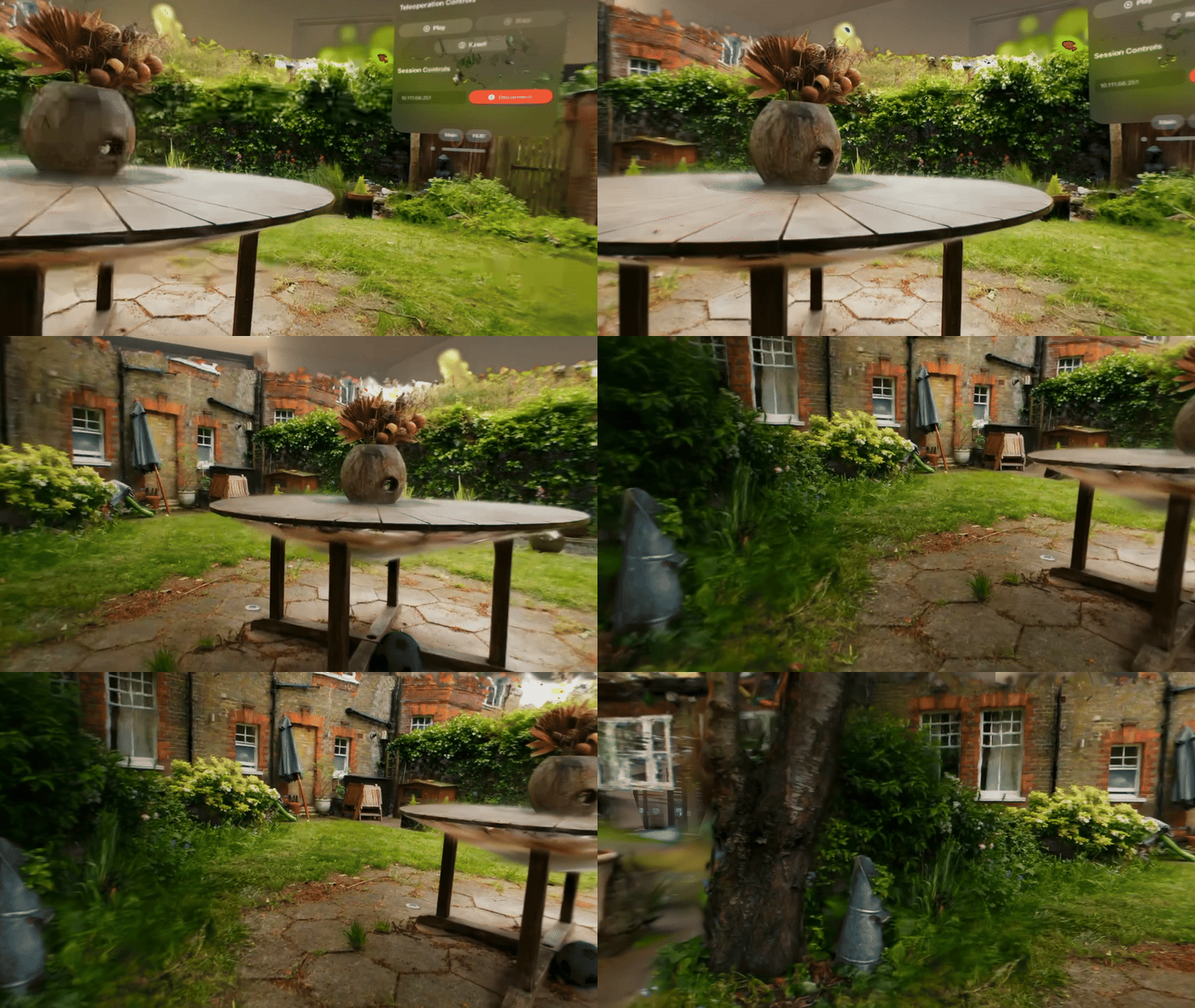 Demo running on Apple Vision Pro
Flow Diagram
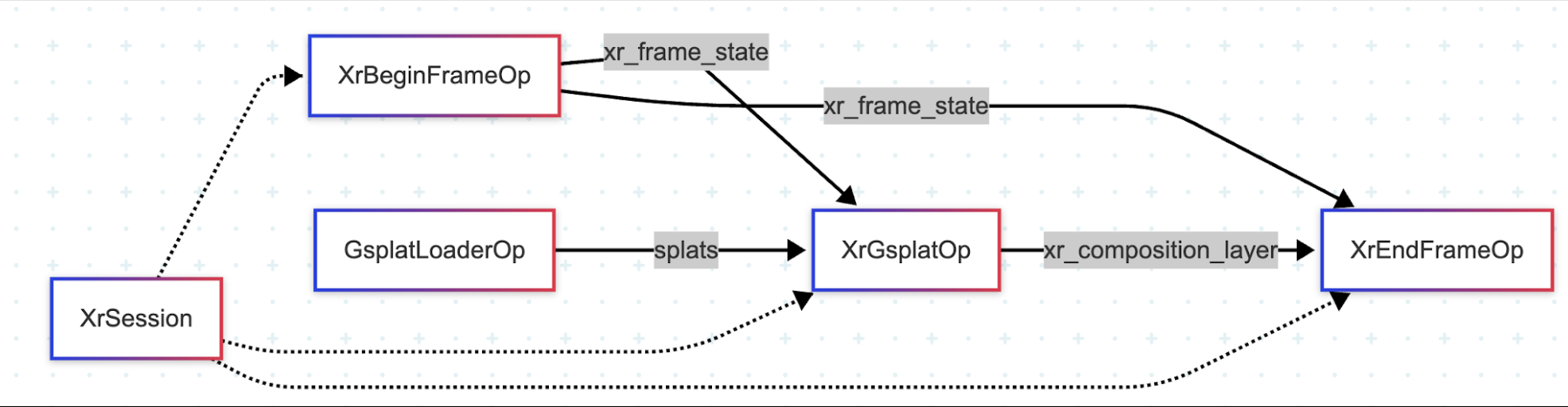 Diagram illustrating the architecture and data flow of this application
0. Training a Gaussian Splatting Model
The below instructions are based on the gsplat colmap example.
0.1. Clone the gsplat repo
git clone https://github.com/nerfstudio-project/gsplat.git
0.2. Install dependencies and download the data
cd gsplat/examples
# Install torch
pip install "torch>=2.10.0"
# Install gsplat
pip install git+https://github.com/nerfstudio-project/gsplat.git
# Install dependencies
pip install -r requirements.txt
# Download the data
python datasets/download_dataset.py
0.3. Train the model
CUDA_VISIBLE_DEVICES=0 python simple_trainer.py default \
    --data_dir data/360_v2/garden/ --data_factor 4 \
    --result_dir ./results/garden
note: Training time is observed to take about 30 minutes on Intel i9 CPU + NVIDIA RTX A5000 dGPU
0.4. Set up the checkpoint paths in config.yaml
Quick Start
Option 1: Stream to Apple Vision Pro (CloudXR)
To stream this XR application to devices like Apple Vision Pro, refer to the CloudXR Runtime tutorial for setup instructions.
Option 2: Using Monado OpenXR Runtime (Local Development)
Monado is an open-source OpenXR runtime that supports various XR devices and includes a simulator for local development without physical XR hardware.
Terminal 1: Launch Container and Start Monado Service
# If you're already in the container, skip this step
./holohub run-container xr_gsplat

# Inside the container, start the Monado XR runtime service
monado-service
Keep this terminal open and running.
Terminal 2: Build and Run the Application
# Enter the same container (replace <container_id> with actual ID from 'docker ps')
docker exec -it <container_id> bash

# Build and run the application
./holohub run xr_gsplat
Checkpoint tests
Run the application's checkpoint regression suite through CTest:
./holohub test xr_gsplat --language python
The suite loads real gsplat training state dictionaries and rejects executable pickle payloads in both ZIP and legacy checkpoint formats. It uses generated inputs and does not require downloaded models or an XR runtime. These tests exercise checkpoint loading, not full rendering.
To run pytest directly from the repository root in an environment with the application dependencies and pytest installed:
python -m pytest applications/xr_gsplat/test_gsplat_loader_op.py