Legacy example · Python · Version 1.0
TAO PeopleNet Detection Model
TAO PeopleNet Detection Model on V4L2 Video Stream
| Authors | Holoscan Team (NVIDIA) |
|---|---|
| Supported platforms | x86_64, aarch64 |
| Language | Python |
| Version | 1.0 |
| Compatibility | HSDK 2.1 |
| Contribution level | Level 2 · Quality code |
| Source | HoloHub |
Legacy HoloHub application
This application comes from HoloHub and was last tested with Holoscan SDK (HSDK) 2.1. It runs with the HoloHub CLI, ./holohub.
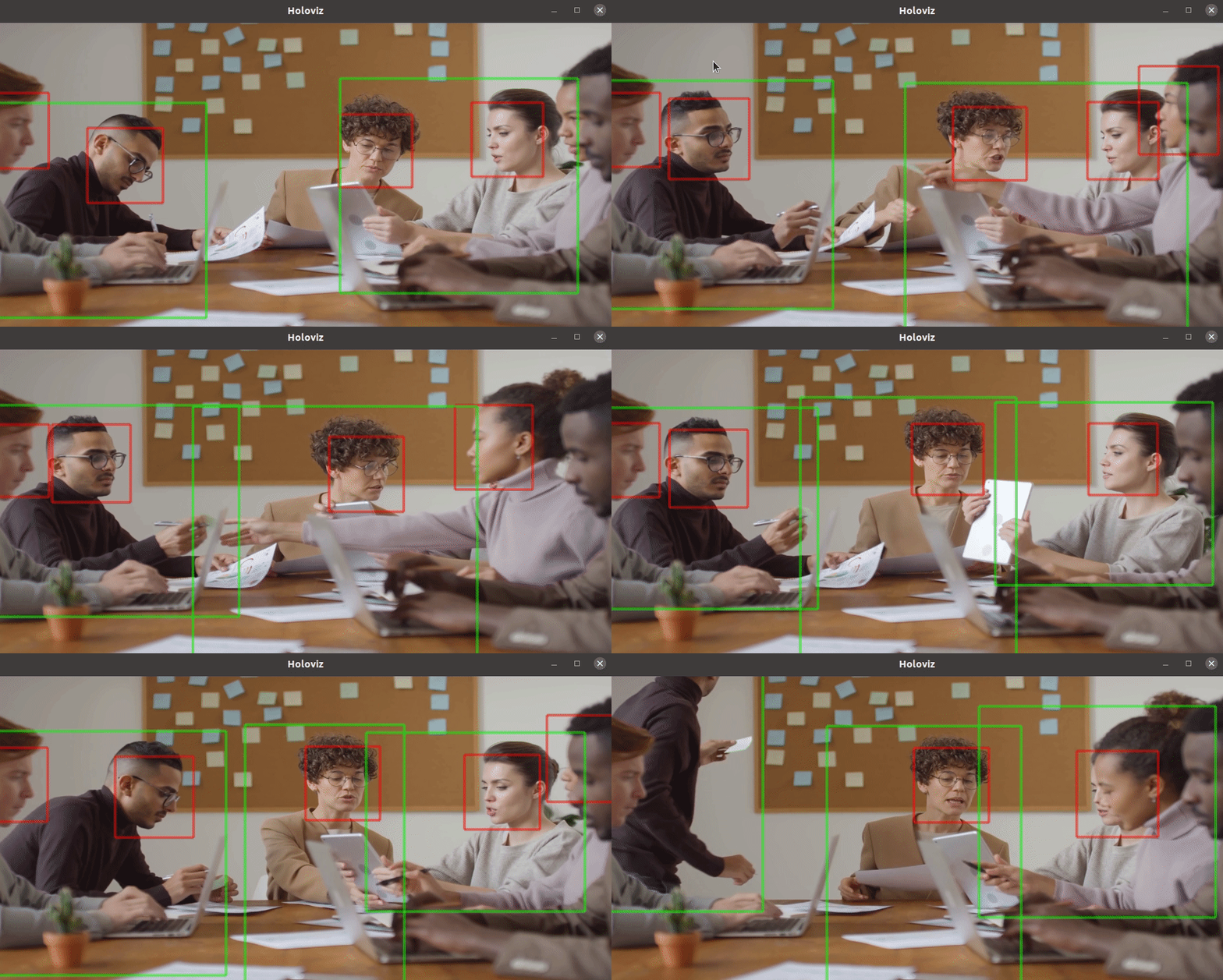
Use the TAO PeopleNet available on NGC to detect faces and people in a V4L2 supported video stream. HoloViz is used to draw bounding boxes around the detections.
Model
This application uses the TAO PeopleNet model from NGC for face and person classification. The model is downloaded when building the application.
Data
This application downloads a pre-recorded video from Pexels when the application is built for use with this application. Please review the license terms from Pexels.
NOTE: The user is responsible for checking if the dataset license is fit for the intended purpose.
Input
This app supports two different input options. If you have a v4l2 compatible device plugged into your machine such as a webcam, you can run this application with option 1. Otherwise you can run this application using a pre-recorded video with option 2.
- v4l2 compatible input device (default, see V4L2 Support below)
- pre-recorded video (see Video Replayer Support below)
To see the list of v4l2 devices connected to your machine, install v4l-utils if it's not already installed:
sudo apt-get install v4l-utils
Then run:
v4l2-ctl --list-devices
Run Instructions
V4L2 Support
This application supports v4l2 compatible devices as input. To run this application with your v4l2 compatible device, please plug in your input device and run:
./holohub run tao_peoplenet
By default, this application expects the input device to be mounted at /dev/video0. If this is not the case, please update
applications/tao_peoplenet/tao_peoplenet.yaml and set it to use the corresponding input device before
running the application. You can also override the default input device on the command line by running:
./holohub run tao_peoplenet --run-args="--video_device /dev/video0"
Video Replayer Support
If you don't have a v4l2 compatible device plugged in, you may also run this application on a pre-recorded video. To launch the application using the Video Stream Replayer as the input source, run:
./holohub run tao_peoplenet --run-args="--source replayer"
Known Issues
There is a known issue running this application on IGX w/ iGPU and on Jetson AGX (see #500). The workaround is to update the device to avoid picking up the libnvv4l2.so library.
cd /usr/lib/aarch64-linux-gnu/
ls -l libv4l2.so.0.0.999999
sudo rm libv4l2.so.0.0.999999
sudo ln -s libv4l2.so.0.0.0.0  libv4l2.so.0.0.999999