Legacy example · C++ · Version 1.0
Stereo Vision
| Authors | Holoscan Team (NVIDIA) |
|---|---|
| Supported platforms | x86_64, aarch64 |
| Language | C++ |
| Version | 1.0 |
| Compatibility | HSDK 2.4 |
| Contribution level | Level 1 · Very high-quality code |
| Source | HoloHub |
Legacy HoloHub application
This application comes from HoloHub and was last tested with Holoscan SDK (HSDK) 2.4. It runs with the HoloHub CLI, ./holohub.
Overview
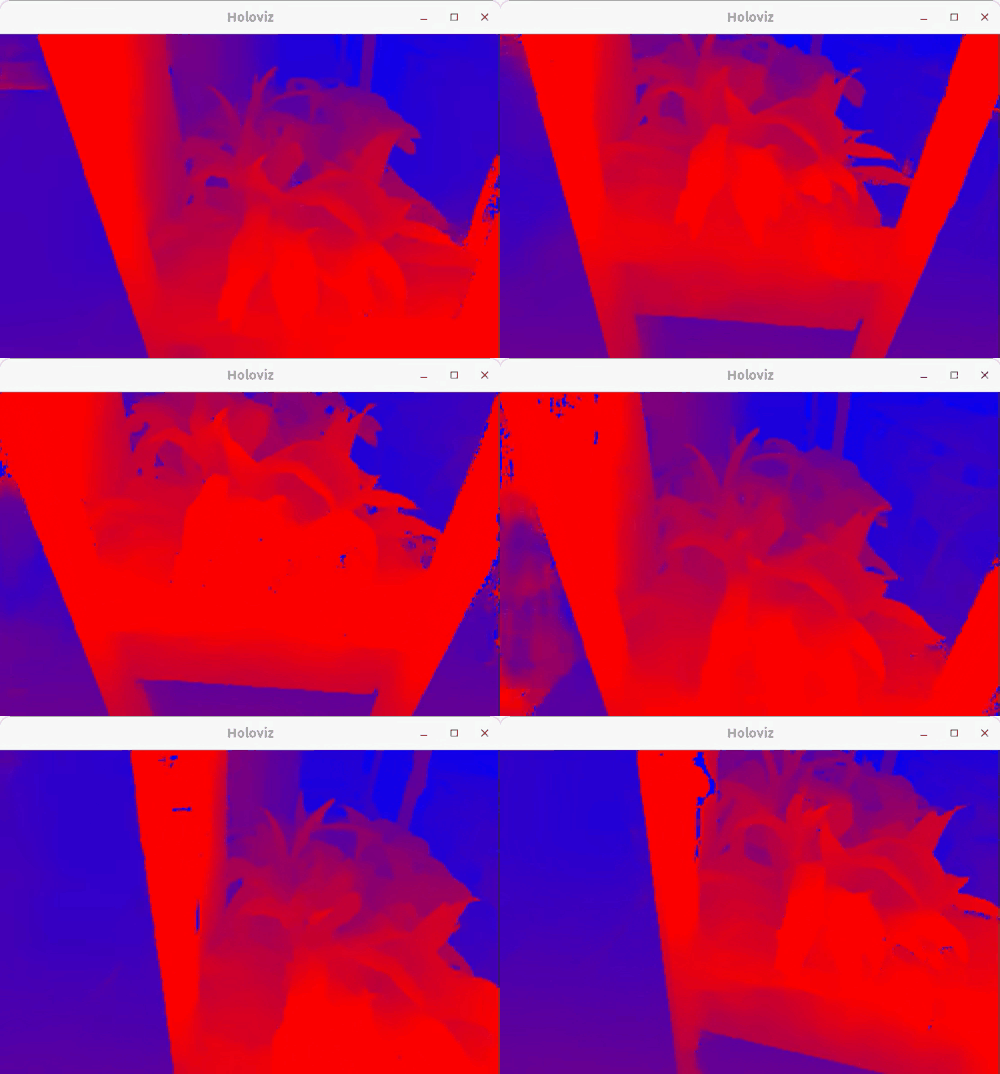
A demo pipeline showcasing stereo disparity estimation.
Description
This pipeline takes video from a stereo camera and estimates disparity using DNN ESS. The disparity map is displayed through Holoviz.
Requirements
This application requires a V4L2 stereo camera or recorded stereo video as input. A video acquired from a StereoLabs ZED
camera is downloaded when running the get_data_and_models.sh script when building the application.
A script for obtaining the calibration for StereoLabs cameras is also provided.
Holoscan SDK >=2.0,<=2.5 is required for TensorRT 8.6 compatibility.
Camera Calibration
The default calibration will work for the sample video. If using a stereolabs camera the calibration
can be retrieved using get_zed_calibration.py and the devices serial number.
python3 get_zed_calibration.py -s [Serial Number]
Input video
For the input video stream, either use a v4l2 stereo camera such as those produced by stereolabs or included recorded video.
The stereo-plants.mp4 video is provided in the Holoscan stereo video NGC catalog and will be downloaded and converted to the necessary format when building the application.
The source device in stereo_vision.yaml should be modified to match the device the v4l2 video is
using. This can be found using v4l2-ctl --list-devices.
Models
This demo requires the ESS DNN Stereo Disparity available from the NGC catalog for disparity estimation. This model is downloaded when you build the application.
ESS DNN
The ESS engine files generated in this demo application is specific to TRT8.6; make sure
you build the devcontainer with a compatible base_img as shown in the Build and Run Instructions section.
Build and Run Instructions
Run the following command to build and run application using the recorded video:
./holohub run stereo_vision --base-img nvcr.io/nvidia/clara-holoscan/holoscan:v2.4.0-dgpu
To run the application using a v4l2 compatible stereo camera, run:
./holohub run stereo_vision --base-img nvcr.io/nvidia/clara-holoscan/holoscan:v2.4.0-dgpu --run-args="--source v4l2"