Legacy example · Python · Version 1.0.0
SAM 2: Segment Anything in Images and Videos
| Authors | Holoscan Team (NVIDIA) |
|---|---|
| Supported platforms | x86_64, aarch64 |
| Language | Python |
| Version | 1.0.0 |
| Compatibility | HSDK 2.0 |
| Contribution level | Level 1 · Very high-quality code |
| Source | HoloHub |
Legacy HoloHub application
This application comes from HoloHub and was last tested with Holoscan SDK (HSDK) 2.0. It runs with the HoloHub CLI, ./holohub.
This application demonstrates how to run SAM2 models on live video feed with the possibility of changing query points in real-time.
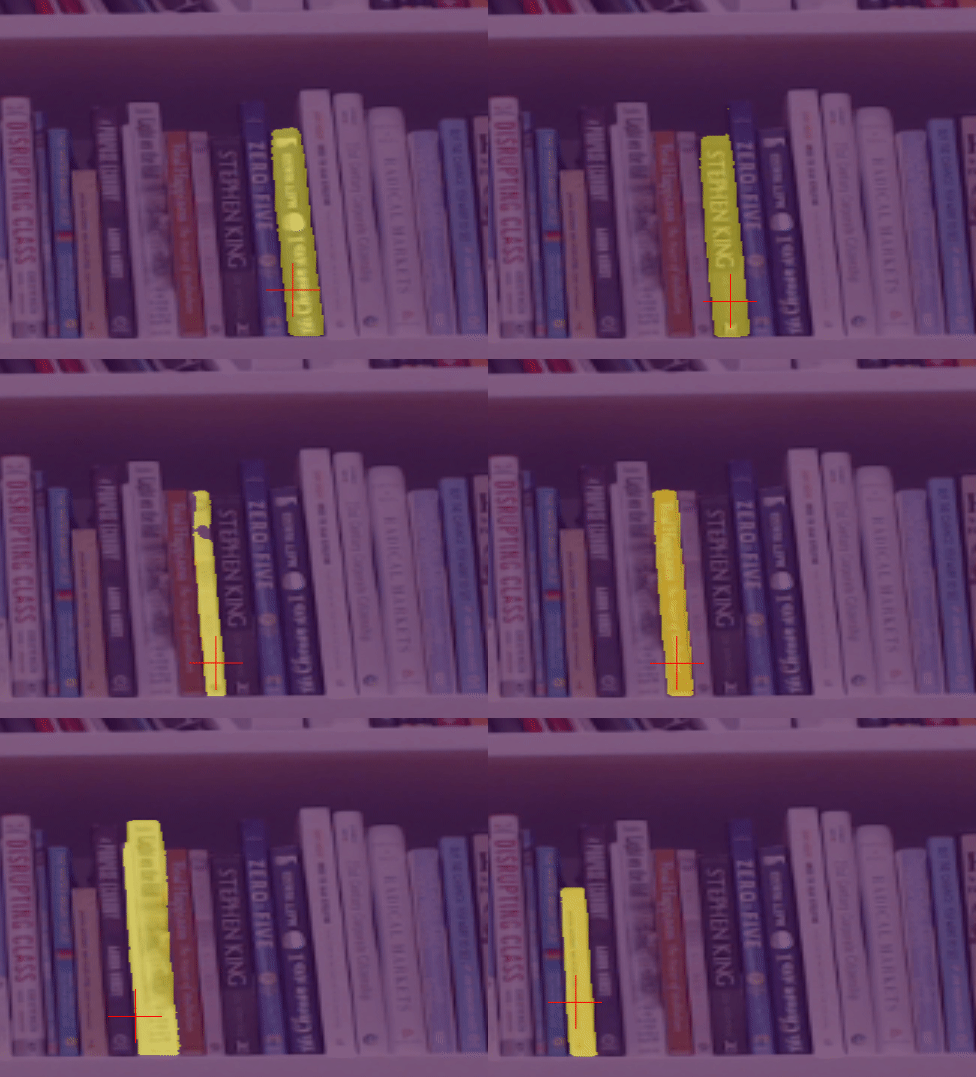
The application currently uses a single query point as a foreground point that moves on the perimeter of a circle with a configured angular speed. The models returns three masks, the best mask is selected based on the model scores. For visualization, two options exist. Select between "logits" or "masks".
- "logits": predictions of the network, mapped onto a colorscale that matches matplotlib.pyplot's "viridis"
- "masks": binarized predictions
SAM2, recently announced by Meta, is the next iteration of the Segment Anything Model (SAM). This new version expands upon its predecessor by adding the capability to segment both videos and images. This sample application wraps the ImageInference class, and applies it on a live video feed.
Note: This demo currently uses "sam2_hiera_l.yaml", but any of the sam2 models work. You only need to adjust segment_one_thing.yaml.
⚙️ Setup Instructions
The app defaults to using the video device at /dev/video0
To debug if this is the correct device download v4l2-ctl:
sudo apt-get install v4l-utils
To check for your devices run:
v4l2-ctl --list-devices
This command will output something similar to this:
NVIDIA Tegra Video Input Device (platform:tegra-camrtc-ca):
        /dev/media0

vi-output, lt6911uxc 2-0056 (platform:tegra-capture-vi:0):
        /dev/video0

Dummy video device (0x0000) (platform:v4l2loopback-000):
        /dev/video3
Determine your desired video device and edit the source device in segment_one_thing.yaml
🚀 Build and Run Instructions
ARM64 and x86
OBS: If you are building on a Clara AGX Dev Kit, replace the Dockerfile below with ./alternative_docker/Dockerfile_cagx.
This application uses a custom Dockerfile based on a pytorch container. Build and run the application using
./holohub run sam2
Or first build the container, then launch it and run.
./holohub build-container sam2
./holohub run-container sam2 --no-docker-build
./holohub run sam2 --local --no-local-build
x86 only
If you are only using an x86 system, you may use a Dockerfile based on the Holoscan container. Replace the Dockerfile with this alternative Dockerfile. Then, from the Holohub main directory run the following command:
./holohub run sam2
Alternatively, execute it by
python applications/sam2/segment_one_thing.py
You can choose to output "logits" or "masks" in the configuration of the postprocessor and holoviz operator segment_one_thing.yaml
💻 Supported Hardware
- x86 w/ dGPU
- IGX Dev Kit w/ dGPU
- Clara AGX Dev Kit w/ dGPU
🙌 Acknowledgements
- Meta, SAM2: for providing these models and inference infrastructure