Legacy example · C++ · Python · Version 1.0
In-Out Body Detection
| Authors | Jasper Hofman (Orsi Academy) |
|---|---|
| Supported platforms | x86_64, aarch64 |
| Language | C++, Python |
| Version | 1.0 |
| Compatibility | HSDK 0.6 |
| Contribution level | Level 3 · Features under development |
| Source | HoloHub |
Legacy HoloHub application
This application comes from HoloHub and was last tested with Holoscan SDK (HSDK) 0.6. It runs with the HoloHub CLI, ./holohub.
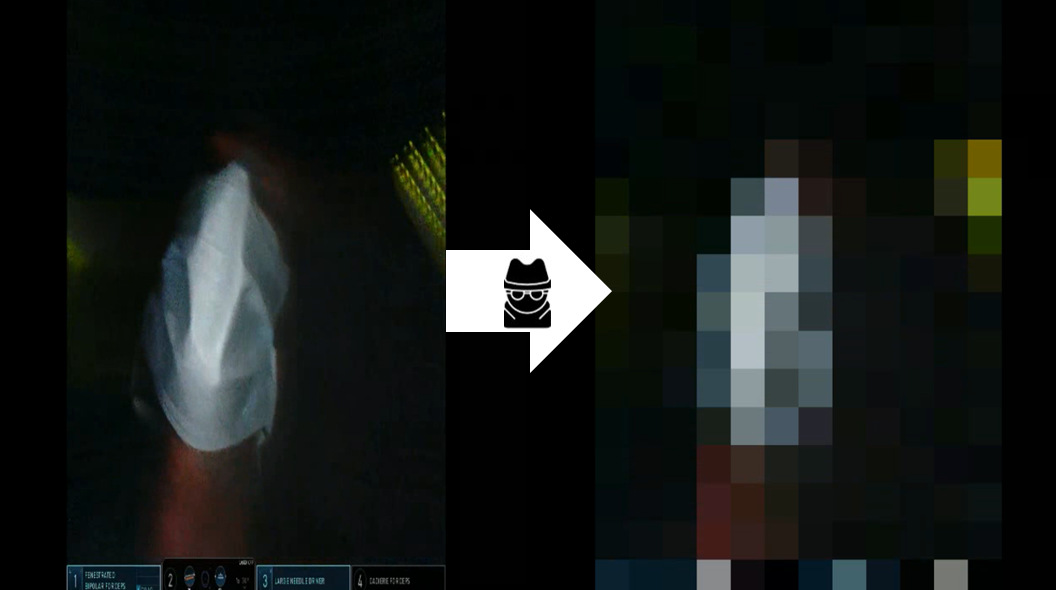
Fig. 1: Example of anonymized result after inference
Introduction
In robotic surgery, anonymization of video is necessary to ensure privacy and protect patient data. During e.g. swapping of robotic tools or lens cleaning the endoscope is removed from the body, possibly capturing faces, recognizable tattoos or written patient data. Therefore, going out of body is a suiting definition for an anonymization boundary.
Pipeline
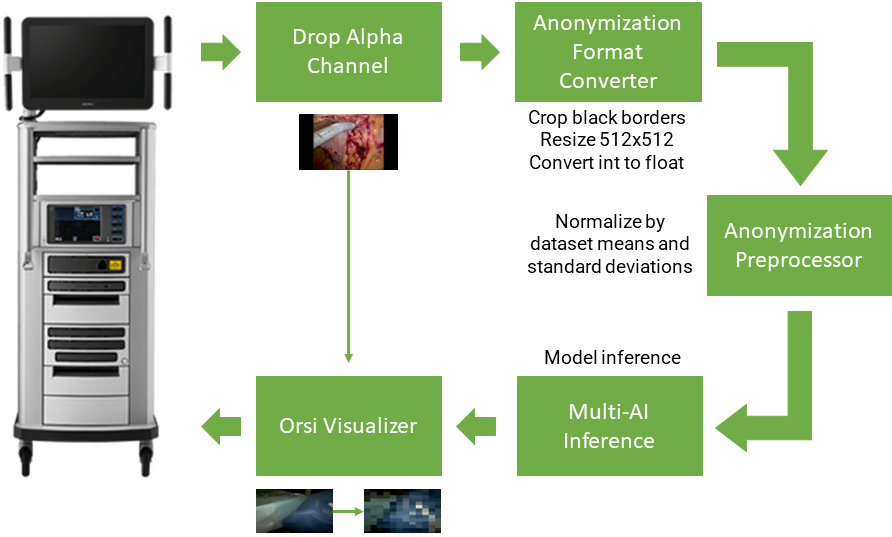
Fig. 2: Schematic overview of Holoscan application
Towards realtime anonymization, a binary out-of-body classifier was trained and deployed using Holoscan platform. Figure 2 shows a schematic overview of the application. After capturing the frame, the alpha channel is dropped by the Format Converter operator. Additionally, the black padding borders added by the robotic system are removed, the tensor is resized to 512x512 pixels and the tensor type is converted from int [0, 255] to float [0, 1]. In the Anonymization Preprocessor operator the tensor pixel values of every collor channel are normalized using the corresponding means and standard deviations of the anonymization dataset.
After model inference with the Multi-AI inference operator, the result frame is anonymized in the Orsi Visualizer operator according to the model output. The blurring is applied using a glsl program.
Controls
| Action | Control |
|---|---|
| Enable anonymization | B |
Build and Launch app
C++
./holohub run orsi_in_out_body --language cpp
Python
./holohub run orsi_in_out_body --language python